
The G13 Revival project intentionally keeps the software stack as small as possible.
No background drivers. No kernel hacks. No bloated gaming suites.
Just a Teensy 4.1 and the Arduino IDE.
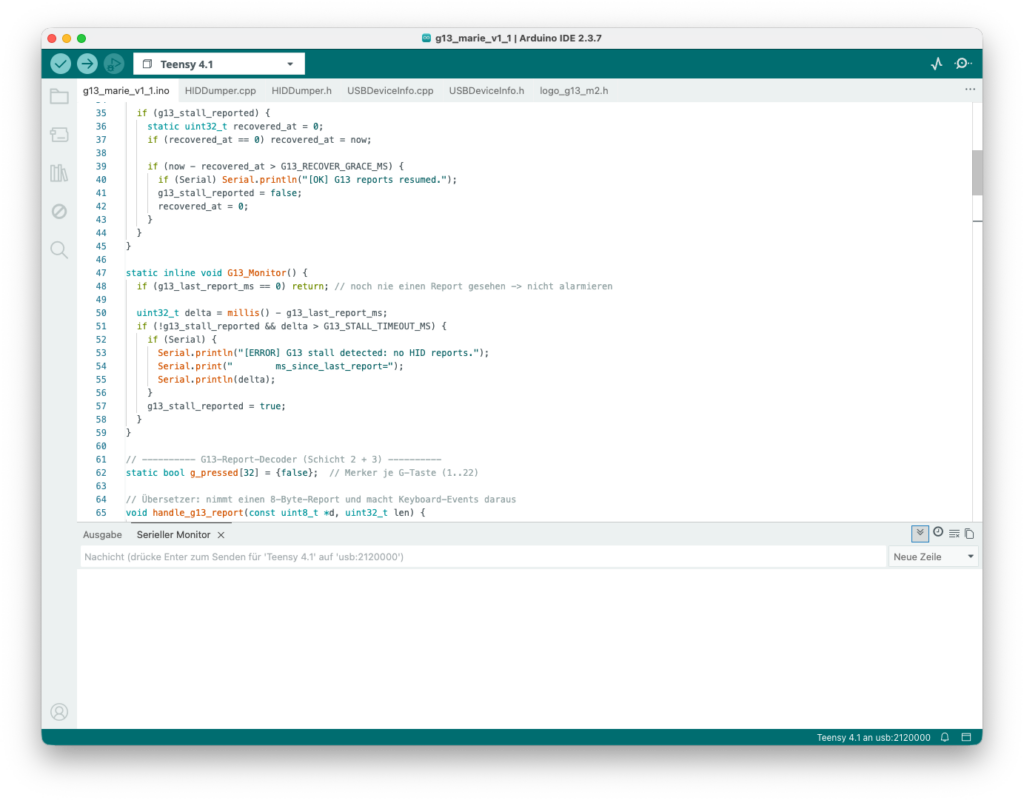
The only required software component.
The Arduino IDE is used to compile and upload the firmware to the Teensy 4.1 board.
Once flashed, the device works standalone without additional software running in the background.
You can download the Arduino IDE here.
Configure Teensy Package Path
To properly detect and compile for the Teensy 4.1, the official Teensy board package from PJRC must first be added to the Arduino IDE.
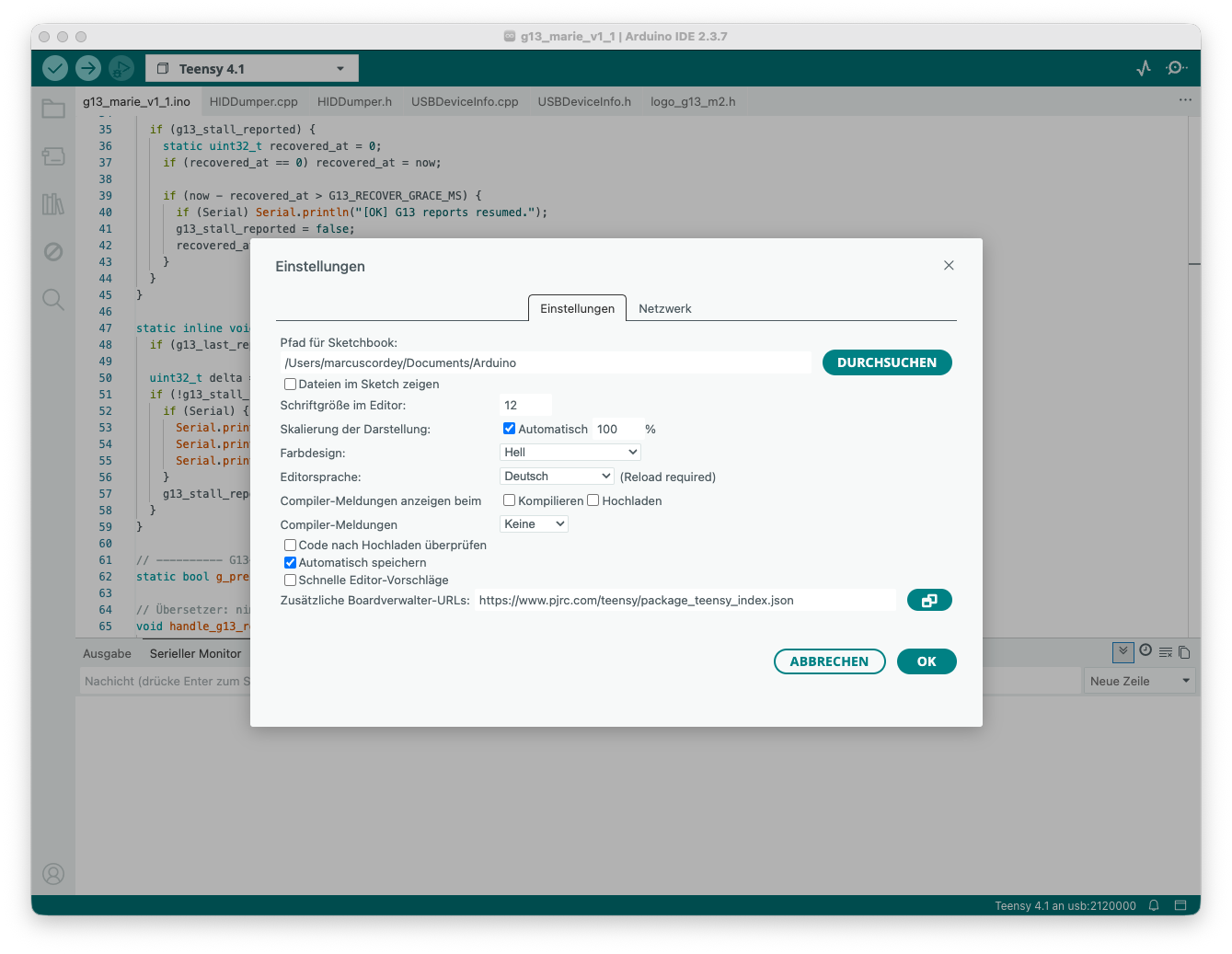
Open the Arduino IDE settings and locate:
Additional Boards Manager URLs
Add the following URL as shown in the picture.
https://www.pjrc.com/teensy/package_teensy_index.json
Then confirm with OK.
Configure Board Manager
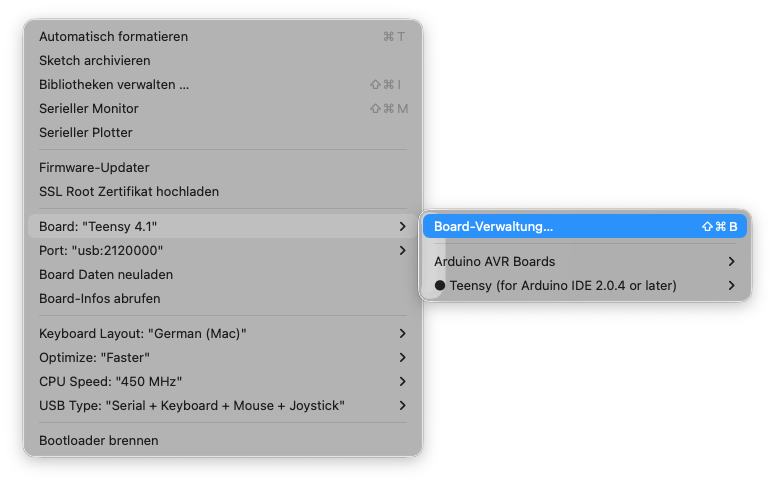
Open the Board Manager in the Tools menu
Install Teensy Board Package
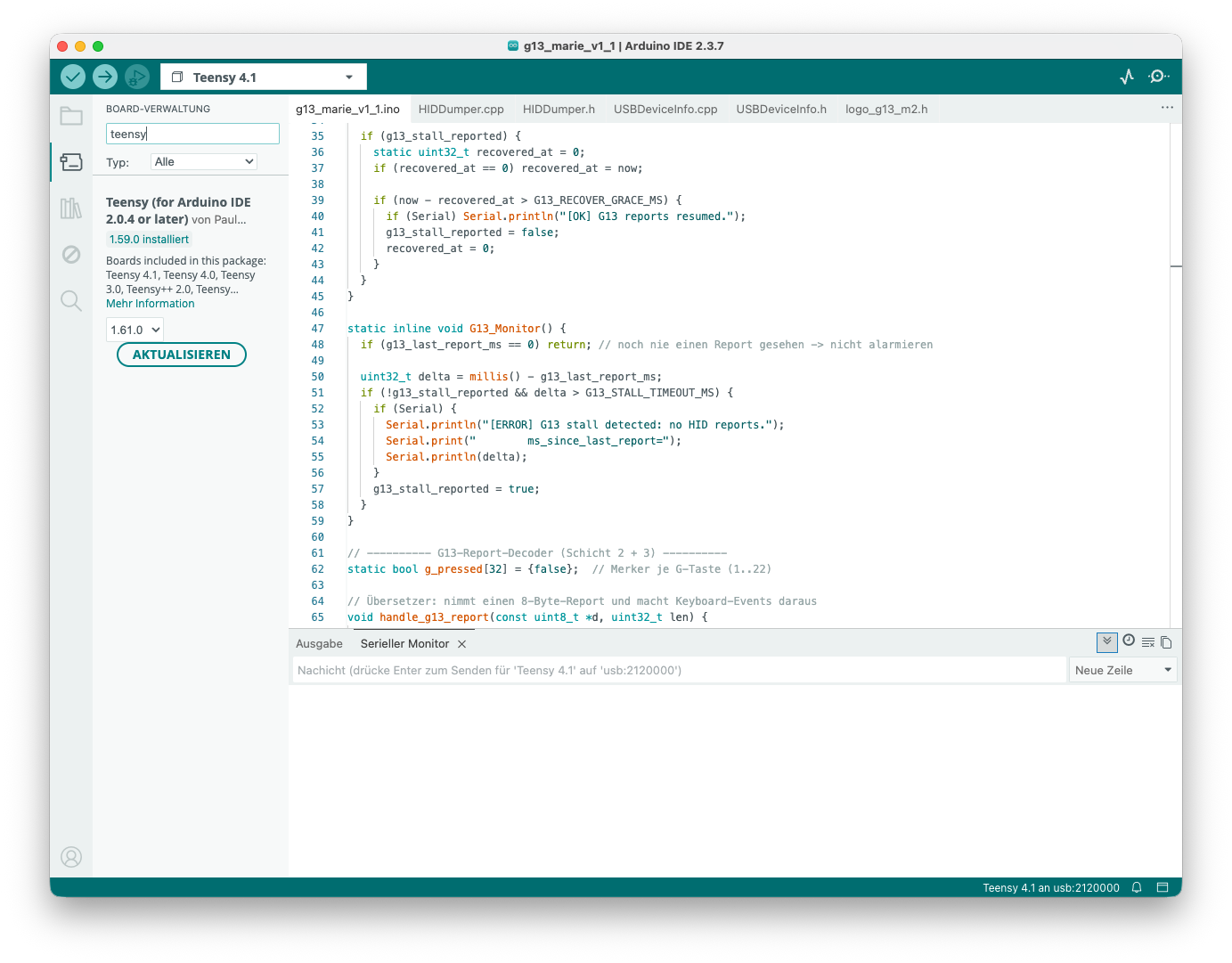
Search for teensy in the Board Manager and click Install.
In my case the button says Update because the package is already installed. 😉
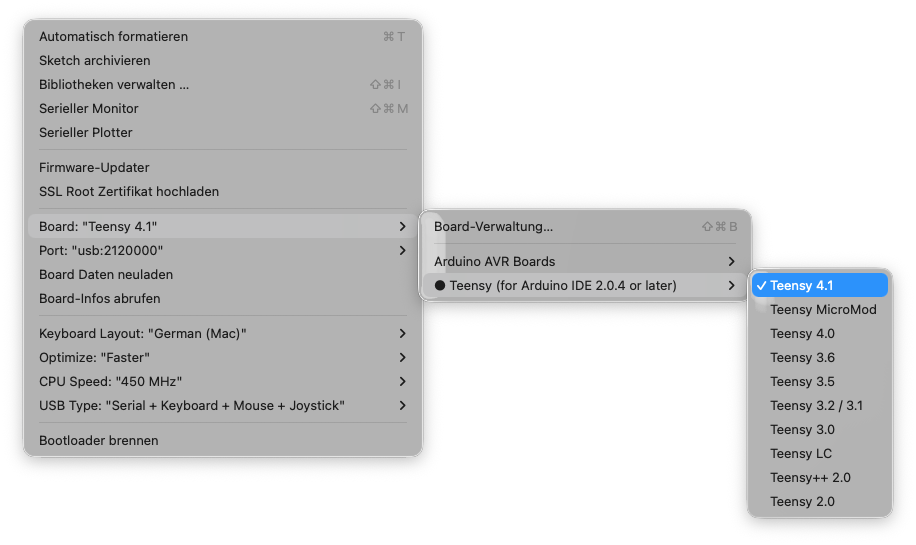
Select Teensy 4.1 Board
From the tools menu select Teensy 4.1 as shown in the picture.
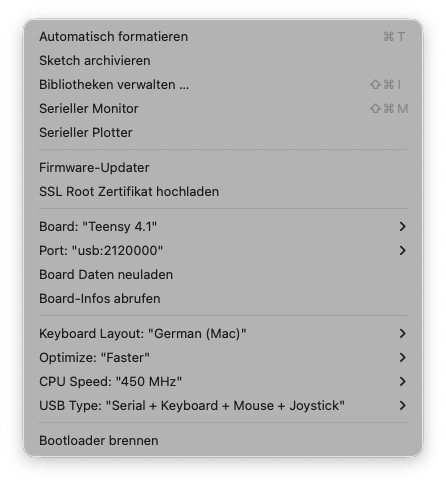
Final Settings
Keyboard Layout
I testet the setup using German (Mac) but it may also work with other layouts. Please feel free to experiment.
Optimize
Just keep the standard setting Faster.
CPU Speed
I chose 450 MHz, but lower speeds will probably work as well.
USB Type
Serial + Keyboard + Mouse + Joystick is mandatory.